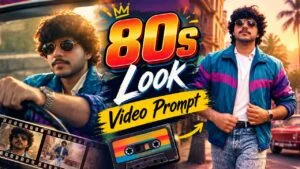
Friends, if you are looking for a simple way to give your pictures a stylish and 80s look, then the 80s Look Video AI Prompt is something you should try. This trend is getting a lot of attention on social media because it can turn an ordinary photo into a realistic image with a classic 80s-inspired vibe. The final result can have a vintage feel while still keeping your face and overall appearance natural. The best part is that you don’t need to spend hours using complicated editing apps. Just copy the prompt, open google Flow, add your photo, and use the prompt to create the desired look. Within a short time, you can get a completely different version of your picture with a retro-style appearance. You can experiment with different photos to see which one gives you the best result.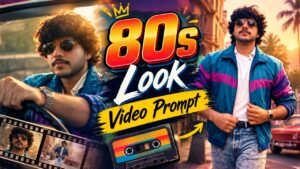
What Is Google Flow
Google Flow is an AI-powered video creation tool from Google that helps users turn simple ideas into creative video content. It allows creators to generate cinematic scenes using text prompts and images without needing advanced video editing skills. You can use it to create short clips, storytelling videos, social media content, and other creative visuals. Google Flow is useful for beginners as well as content creators who want to experiment with AI video generation. By writing a clear prompt and providing suitable images when needed, users can create unique videos with different styles and effects. It can be a helpful option for making engaging content for platforms like Instagram Reels and YouTube Shorts.
80s Look Video AI Prompt 2026
At this time, this photo editing is becoming very viral. You will see many prompts below on social media. You have to copy whatever you like, then go to Gemini or Chat Gpt and paste the photo and this prompt, after that your viral photo will be ready.
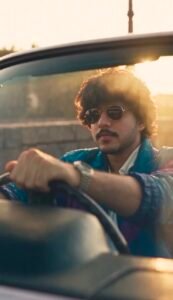
Prompt: PROMPT↓
Create a 10-second vertical 9:16 premium Indian cinematic fashion film set entirely in authentic Bombay, India during the early-to-mid 1980s. Use the supplied hero image as the exact identity reference and preserve his facial features, skin tone, beard, hairstyle, body proportions and natural skin texture throughout. Do not beautify or change his face. Use the supplied red vintage convertible as the exact car reference and keep its design, color, chrome, wheels and cream interior consistent.The hero wears the exact supplied outfit: mustard-yellow vintage jacket with teal geometric detailing, cream shirt, light-wash jeans, white vintage sneakers, silver pendant, wristwatch and dark rectangular sunglasses.Create a realistic 1980s Bombay atmosphere with Premier Padmini taxis, Ambassador cars, scooters, vintage BEST buses, pedestrians, old colonial and Art Deco buildings, weathered storefronts and authentic period clothing. No modern cars, phones, fashion, buildings or advertisements.Visual style: expensive 1980s Indian cinema shot on 35mm film, warm golden sunlight, muted reds, dusty browns, faded mustard, subtle teal, natural skin tones, gentle film grain, soft halation, atmospheric haze, realistic motion blur and organic lens imperfections. Avoid modern digital grading, excessive orange, HDR, oversharpening, plastic skin or CGI appearance.Shot flow: Begin with a centered close-up of the hero driving the red convertible through busy Bombay traffic. Cut briefly to his vintage wristwatch, then a three-quarter tracking shot of the car. He stops outside an old Bombay restaurant, steps out and confidently walks inside. A vintage red-and-cream BEST double-decker bus passes close to the camera as a natural foreground transition.Inside, show an authentic 1980s Bombay restaurant with wooden tables, ceiling fans, old windows, newspapers and warm tungsten lighting. The hero removes his sunglasses, sits down and reads a newspaper. Slowly rack focus from the newspaper to his eyes.He exits and walks back toward the convertible while period traffic and pedestrians move naturally around him. Cut to him driving beside the Arabian Sea during golden hour. End with the hero standing beside the red convertible, centered against the sea, slowly turning toward the camera with a subtle confident smile.Use realistic cinema-camera movement, natural anatomy, realistic fabric and hair movement, consistent character and car continuity. No music or background score—only natural traffic, engine, footsteps, restaurant ambience and sea breeze.
How To Use Ai Websites
Using the Google Flow AI website is quite simple, even if you have never worked with AI video tools before. First, open the official Google Flow website in your browser and sign in with your Google account. After logging in, you can start a new project and explore the available AI video creation options.To create a video, you need to describe the scene you want in the prompt box. Try to mention important details such as the subject, location, camera movement, lighting, mood, and overall visual style. A clear and detailed prompt can help you get a better result. Depending on the available options, you can also use an image as a reference for creating your video.After entering your prompt, submit it and wait while Flow generates the scene. Once the video is created, you can review the result and make changes if it does not look the way you expected. You can try different prompts to improve the scene or create additional clips for your project.Google Flow can be useful for making cinematic clips, short videos, storytelling content, and social media posts. With a little practice, you can learn how to write better prompts and create more interesting AI-generated videos.
Conclusion
Google Flow is a useful AI video creation tool for anyone who wants to turn simple ideas into engaging visual content. With the help of text prompts and images, you can create different scenes without needing advanced editing or filmmaking skills. The process is fairly easy once you understand how to write clear prompts and adjust your ideas according to the results. Whether you want to make cinematic clips, short videos, social media content, or creative stories, Flow can make the process more convenient. If you are interested in AI video creation, you can give Google Flow a try and explore its features to create your own unique videos.